 cad-agent.
Animated figures from real CAD
The README's hero is not drawn by hand. tools/readme_anim.py makes it from a real project's files:
- the STEP assembly, drawn as edges by hidden-line removal;
- the linkage's kinematics, solved from link lengths measured in the CAD;
- clearances from the assembly gates' relation engine;
- stress bands from the project's own FEA field.
It writes one SVG of about 140 KB that animates with CSS alone, so GitHub shows it in a README <img>.
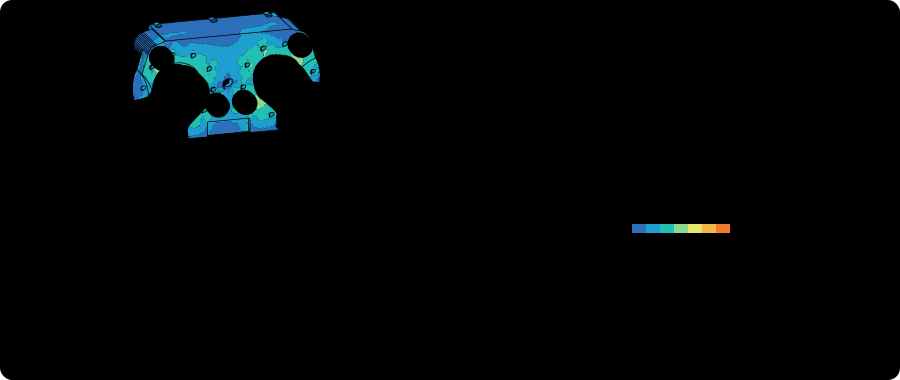
The first figure is Gyropup's five-bar leg (MIT): docs/img/hero/gyropup-leg.svg. The SVGs in docs/img/hero/ may be reused on the site and elsewhere. Each one names its source in its caption and <desc>.
Regenerate or check
PYTHONPATH=src python3 tools/readme_anim.py            # write every SVG from its committed scene
PYTHONPATH=src python3 tools/readme_anim.py --check    # exit 1 if a committed SVG differs or breaks a rule
tests/test_readme_anim.py runs --check, so a renderer change that alters a figure fails CI until the SVG is regenerated and committed.
Rendering needs only cad-agent's core dependencies.
Re-measure from the project
PYTHONPATH=src python3 tools/readme_anim.py --extract hero --source <checkout of the project>
Extraction needs the cad extra (CadQuery). Use a clean checkout of the project's published branch, not a working tree with uncommitted changes. The scene records the commit and every input file's sha256.
The clearance sweep is slow, because each pair is an exact relate() call (#186). Its result is reused from the committed scene while the assembly, the parts, the linkage and the clearance spec are unchanged. Pass --fresh to run it again. --workers N measures poses in N processes; each one reads the STEP once and holds the assembly in memory, about 0.5 GB for Gyropup's leg. Gyropup's leg takes about 25 s without the sweep.
Make one for another assembly
Copy tools/anim/gyropup-leg.yaml, then add the figure to FIGURES in tools/readme_anim.py.
What the spec names: the assembly, parts, linkage, view, FEA field and words
- the assembly: one STEP, one solid per part.
- the parts: solids by their number in the STEP. Each part has:
- the body it moves with;
- an explode distance along the joint axis;
- a style;
- optionally a part file whose volume the solid must match. If the STEP is rebuilt and its solids are renumbered, extraction fails instead of drawing the wrong part.
- the linkage: a planar one.
- Joints are measured from coaxial solids, and the link lengths are checked against the design's.
- The solve order says which joints are found from which.
- The driven joint follows a path.
- Four-bars driven by an output point, five-bars and chains of dyads all fit (
cadagent.publish.anim.linkage).
- the view: a direction and an up vector. Set the stage box in pixels.
- the FEA field: optional, a
cadagent-fea-viewerv1 file (whatcadagent.simulation.feawrites for the viewer), with the stress bands as fractions of strength. - the words: the wordmark and tagline, drawn as outlines because an
<img>loads no fonts. Labels, captions and the check rows' wording (present.checks, with{placeholders}filled from the scene) sit underpresent, so they can change without re-extracting.
A different kind of figure (a board into its enclosure, print layers, a convergence chart) gets its own scene module next to cadagent.publish.anim.hero. It reuses the shared parts:
- edge projection:
cad; - the rasteriser and outlines:
raster; - paths, timeline, theme and the embed rules:
svg; - text outlines:
text.
The two stages, and what each reads and writes:
flowchart TD
    S["assembly STEP<br/>the project's CAD"] --> X["--extract<br/>CadQuery: edges, gaps"]
    F["spec YAML + FEA field<br/>linkage, view, stress"] --> X
    X --> J["tools/anim/*.scene.json<br/>poses, sha256 of inputs"]
    J --> R["render<br/>pure Python, no CAD"]
    R --> O["docs/img/hero/*.svg<br/>CSS animation, 250 KB max"]
    class S,F near
    class X,J,R here
    class O out
    classDef near fill:#eef1e4,stroke:#6f8a80,color:#173d3c
    classDef here fill:#fffdf5,stroke:#173d3c,color:#173d3c
    classDef out fill:#ffe1cc,stroke:#bd3a12,color:#173d3c
What a figure must pass
cadagent.publish.anim.svg.problems() lists what makes an SVG unsafe or unfit to embed. Each rule has a test that breaks it.
The embed rules: size, XML, no scripts or outside references, accessibility, CSS only, reduced motion
- at most 250 KB;
- well-formed XML;
- no
<script>,<foreignObject>,<iframe>,<image>,<use>or<a>; - no event-handler attributes;
- no
href,src,url()or@importpointing outside the document; role="img"with anaria-label, and a<title>;- CSS animation only, no SMIL;
- a
prefers-reduced-motionrule that stops every animation. The still it leaves is the final frame.
Both colour schemes are in the one SVG (prefers-color-scheme), on its own background. It was checked on github.com in WebKit and Chrome at 1440 and 390 px. At phone widths the words beside the drawing are hidden and the check marks are enlarged.
What it approximates
Hidden lines. Each solid hides only its own edges. Solids hide each other by their filled silhouettes, painted back to front. The order is the one that draws the fewest cells wrong on depth rasters of the assembled and exploded states. Interlocking parts, such as a pin through a bore, have no right order, so the scene records how many overlapping cells are drawn wrong.
Motion. Each moving solid is drawn in slices along the joint axis. Each slice is moved by an exact rotation at its own depth, and edges are cut where they pass into the next slice. The scene records the largest error per part, over the visible mesh vertices and over the visible edges. For Gyropup's leg both are about 1 px. The hidden lines stay those of the reference pose.
Clearance. It is checked at sampled poses, not as a swept volume. Each pair of solids, not of parts, is one of four kinds. The fit row states the closest running gap ("joints ≥ 0.1 mm" on Gyropup's leg) and the closest passing gap ("passing ≥ 7.3 mm"), each rounded down, and the figure marks the passing one.
kind what it is example clash it overlaps at some pose none on Gyropup contact it touches at every pose; a designed contact, with no gap to state a flange on its motor, a pin in its bearing running gap it stays apart by the same gap at every pose, so it turns about a shared axis links stacked on a joint, a spacer beside a bearing, an adapter disc beside the frame passing its gap changes as the parts move past each other a link swinging past a hard-stop sleeve Stress. The colours show the FEA's surface field, capped at its design stress. The load factor shown is the FEA's own prediction of first failure, made under its assumptions (linear-elastic, weakest print direction, idealised clamps).
CAD and simulation narrow a design down. They do not prove that a printed part fits or holds.